Click to spin
Rose
Tulip
Daisy
Sunflower
Orchid
Lily
Lavender
Carnation
Daffodil
Lotus
Outcome
Selected

Flower Type Spinner

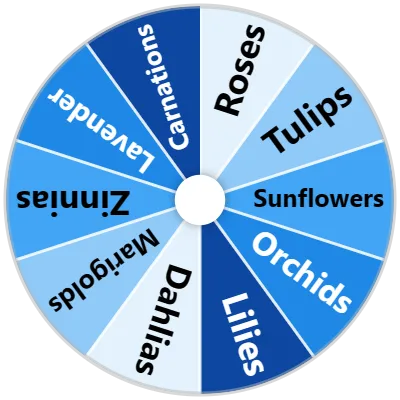
Choose beautiful floral arrangements with the Flower Type Spinner. Highlighting 10 popular blooms—including Roses, Tulips, Sunflowers, Orchids, Lilies, and Lavender—this wheel aids floral design and gift picking.

Florists and event planners can spin the wheel to choose focal flowers for bouquets and centerpieces. Gardeners can pick annuals to plant, while gift buyers can choose flowers for special occasions.

Selecting classic flowers brings natural beauty, fragrance, and color to any home or event. Give the wheel a spin to pick a flower.

Wheel Items Breakdown

The Flower Type Spinner features 10 unique entries. Below is the complete breakdown of every item included on this wheel:

# Item Name
1 Rose
2 Tulip
3 Daisy
4 Sunflower
5 Orchid
6 Lily
7 Lavender
8 Carnation
9 Daffodil
10 Lotus

Related Wheels

Frequently Asked Questions

The Flower Type Spinner comes pre-configured with 10 options: Rose, Tulip, Daisy, Sunflower, Orchid, Lily, Lavender, Carnation, and 2 more options. You can spin the wheel to pick any of these options at random, or consult the complete breakdown table above.

Choose beautiful floral arrangements with the Flower Type Spinner. Give the wheel a spin to pick a flower.

Every spin on the Flower Type Spinner is calculated using a cryptographically secure pseudo-random number generator (PRNG). Each of the 10 choices has an equal mathematical probability of winning on every turn (unless custom slice weights are configured), ensuring fair, unbiased outcomes.

Yes! You can fully personalize the Flower Type Spinner. Open the Inputs tab in the sidebar to add new options, remove entries, or adjust wording. You can also customize colors, sounds, and spin speed in the Tool Settings tab.

Yes! You can share your custom Flower Type Spinner with friends, students, or colleagues via direct link or embed code using the Share button. You can also review or export past spin results as CSV or TXT files from the Results tab.