Click to spin
Outcome
Selected

Outdoor Gear Spinner

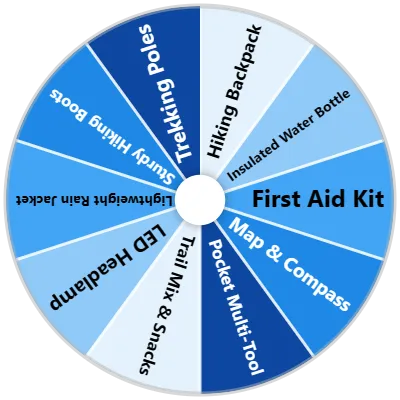
Audit wilderness camping supplies with the Outdoor Gear Spinner. Highlighting 15 essential backcountry tools—including Solar Water Purifiers, Camping Stoves, Ultralight Tents, and LED Headlamps—this wheel aids outdoor prep.

Backpackers and survivalists can spin the wheel to check pack equipment before embarking on wilderness hikes. Gear reviewers can benchmark camping equipment, while outdoor shops showcase essential gear setups.

Carrying lightweight, reliable outdoor gear ensures trail safety, thermal warmth, and clean hydration in the backcountry. Spin the wheel to check an outdoor gear item.

How It Works

1

Customize

Head to the settings tab and configure your wheel to your heart's desire.

2

Spin the Wheel

Click on the wheel or press Ctrl+Enter to make it start spinning.

Related Wheels

Features

594+ Ready-Made Wheels

Math, education, names, foods, games—we've got over 594 templates ready to go. Pick one and spin.

87 Color Palettes

Just browse, pick one, and your wheel looks great.

37 Sound Effects

Spinning, winning—choose from 37 different sound effects to set the mood.

Multi-Wheel Management

Have multiple wheels on the same screen. Great for combining categories or solving complex problems.

Upload Images

Upload your own images to make your wheel truly unique.

Import Data

Have a list in Excel, CSV, or plain text? Import it and your wheel's ready to spin.

Results Management

See all your past results, sort them, count them, and even export or copy them.

AI Generation

Enter a prompt, click generate, and our AI will create your wheel.

Multiple Modes

Choose Text Mode for quickly typing out entries, or Advanced Mode for more customization.

Wheel Background Image

Upload an image for your wheel instead of having one color for each section.

See All Features

Frequently Asked Questions

The Outdoor Gear Spinner uses a certified cryptographic pseudo-random number generator (PRNG) to ensure that every spin lands on a completely unbiased, unpredictable result. Simply click anywhere on the wheel or press Ctrl + Enter to start spinning.

Yes! When the wheel lands on a winning result, a popup modal gives you the option to remove or hide that item so it won't be picked again during your current session.

Yes! Click the Fullscreen icon on the tool toolbar to expand the wheel to full-screen, making it ideal for classrooms, presentations, and live video streams.

Open the Settings tab in the sidebar to choose from 87 custom color palettes, adjust spin duration (from 1 to 30 seconds), toggle sound effects (37 audio themes available), add background images, or enable Mystery Mode for secret reveals.

Yes! Click on the Results tab in the sidebar to view a complete log of all past spins from your current session. You can sort results, copy them to your clipboard, or export them as a CSV or TXT file.